SFA Event Copilot Design Mockups

Comprehensive visual documentation showcasing how Event Copilot transforms SFA's customer support workflow with an efficient, context-aware system that preserves conversation history and enables intelligent department routing.

Workflow Enhancement Overview

Previous Workflow Challenges

  • Manual ticket processing every 3 weeks
  • Poor conversation formatting and context loss
  • No resolution tracking or departmental routing
  • Weeks of customer wait time
  • Administrative burden on support team

Event Copilot Solution

  • Automated daily reports with full context
  • 1-2 day response promise to customers
  • Smart department routing suggestions
  • Complete conversation history preservation
  • Structured contact information collection

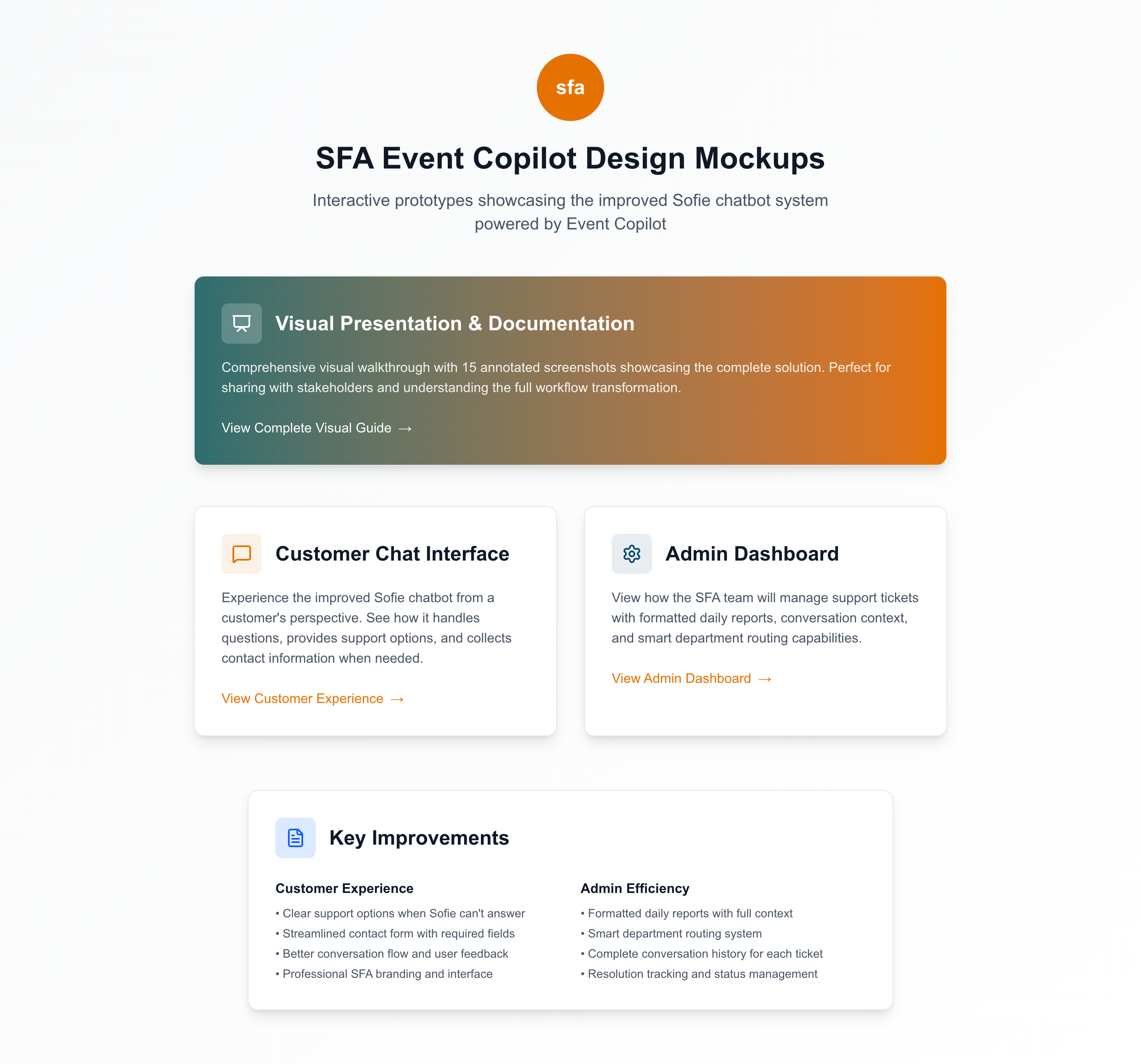
🏠 Homepage Interface

Homepage Overview
Entry Point

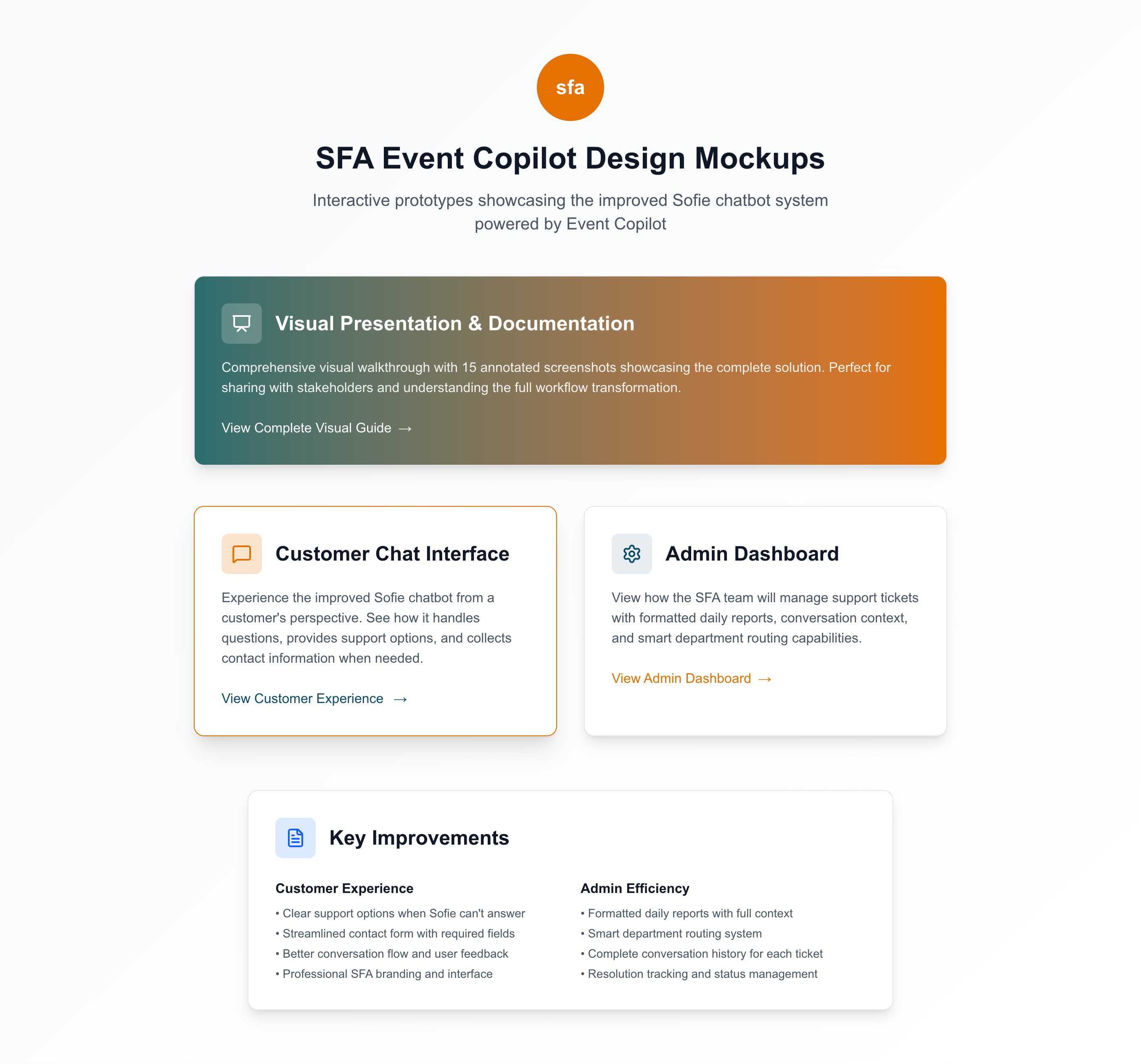
Landing Page Overview

Clean, professional interface showcasing both customer and admin access points with clear value propositions.

Key Features:

  • Authentic SFA branding with orange/navy colors
  • Clear separation of customer vs admin interfaces
  • Key improvements section highlighting benefits
  • Professional typography and layout
Customer Hover State
Interactive UI

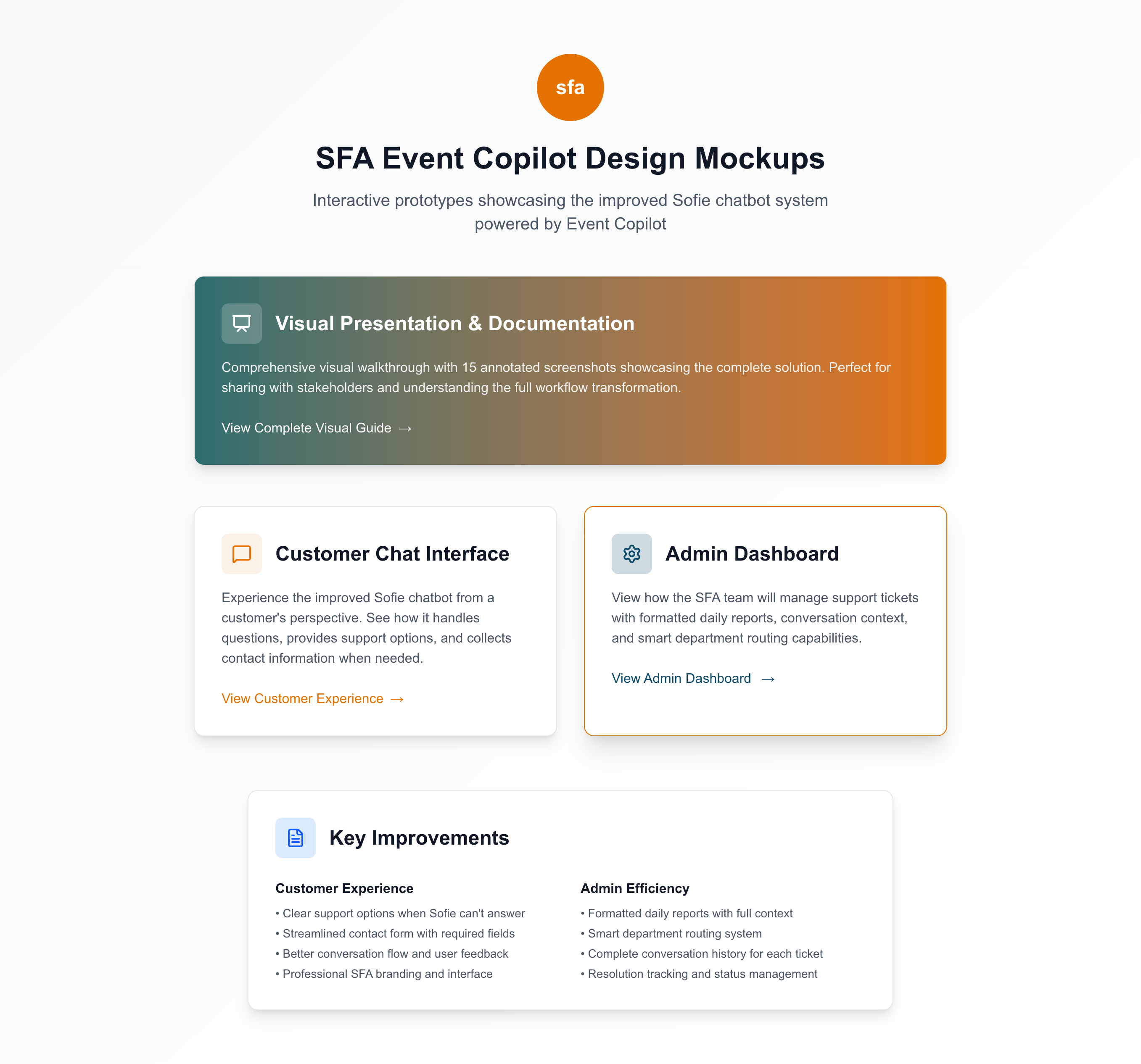
Customer Interface Hover

Interactive hover effects guide users to the customer-facing chat experience.

Demonstrates:

  • Responsive hover interactions
  • Clear call-to-action for customers
  • Professional UI feedback
  • Intuitive user experience design
Admin Hover State
Admin Access

Admin Dashboard Preview

Admin-focused interface preview highlighting ticket management and reporting capabilities.

Admin Benefits:

  • Formatted daily reports
  • Conversation context preservation
  • Smart department routing
  • Comprehensive ticket management
💬 Customer Chat Experience

1
Escalation Trigger
2
Support Options
1-2
Days Response
Initial Chat Interface
Step 1

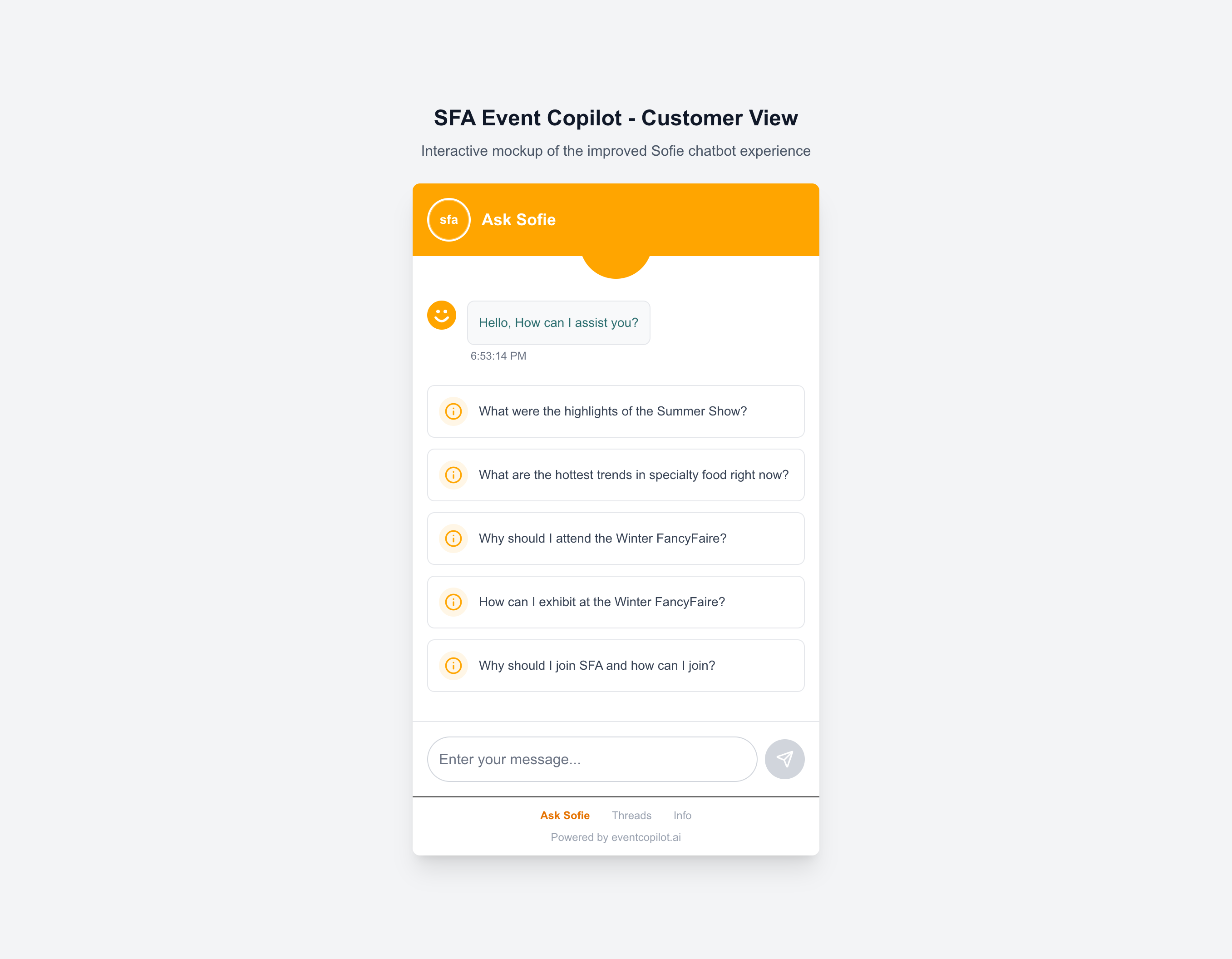
Sofie Greeting & Suggested Questions

Professional chat interface with Sofie's welcoming message and SFA-specific suggested questions.

Customer Experience:

  • Branded chat widget with SFA colors
  • 5 pre-populated relevant questions
  • Custom Sofie smile icon
  • Clean, accessible interface design
Immediate Escalation Options
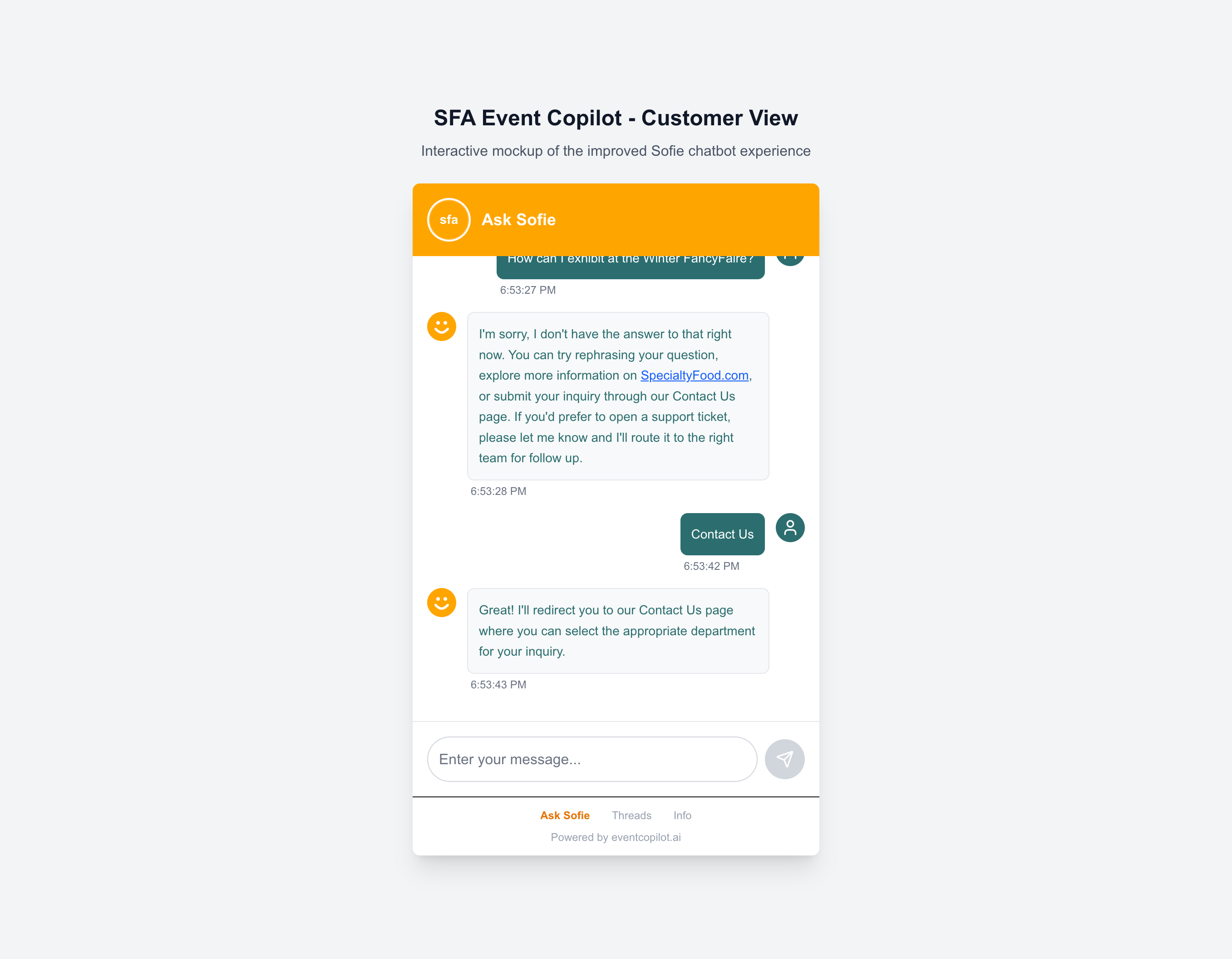
Step 2 - Critical

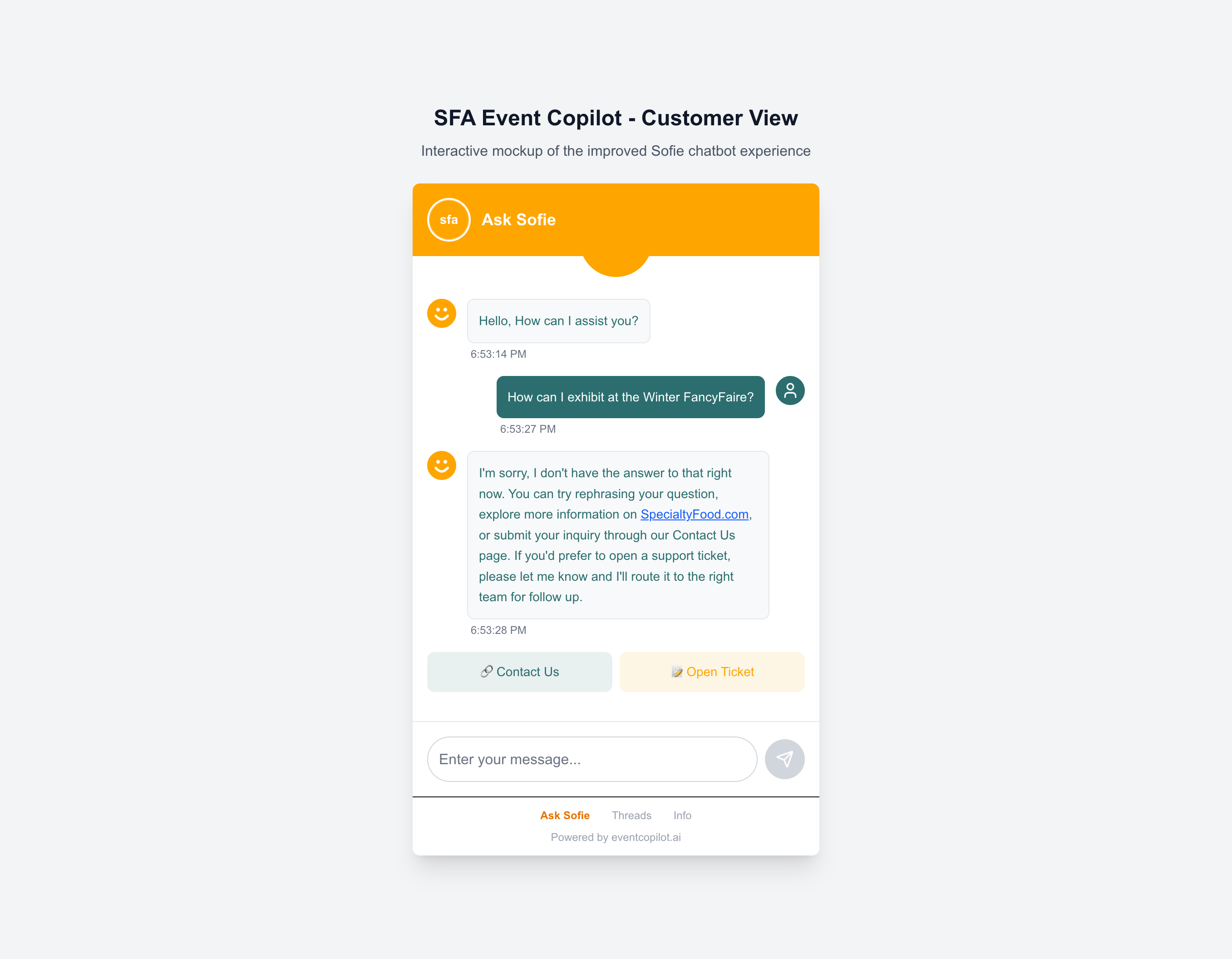
Immediate Escalation with Two Options

After just 1 "I don't know" response, Sofie immediately presents the consolidated message: "I'm sorry, I don't have the answer to that right now. You can try rephrasing your question, explore more information on SpecialtyFood.com, or submit your inquiry through our Contact Us page. If you'd prefer to open a support ticket, please let me know and I'll route it to the right team for follow up."

Immediate Escalation Logic:

  • Single "I don't know" triggers escalation
  • Consolidated helpful message with links
  • Two clear option buttons presented
  • No user frustration from multiple unknowns
Option 1 Selected
Option 1 Path

Contact Us Page Redirect

Customer selects Option 1, Sofie confirms redirect to department-specific contact page.

Option 1 Benefits:

  • Direct department selection
  • Immediate contact information
  • Self-service capability
  • Professional communication tone
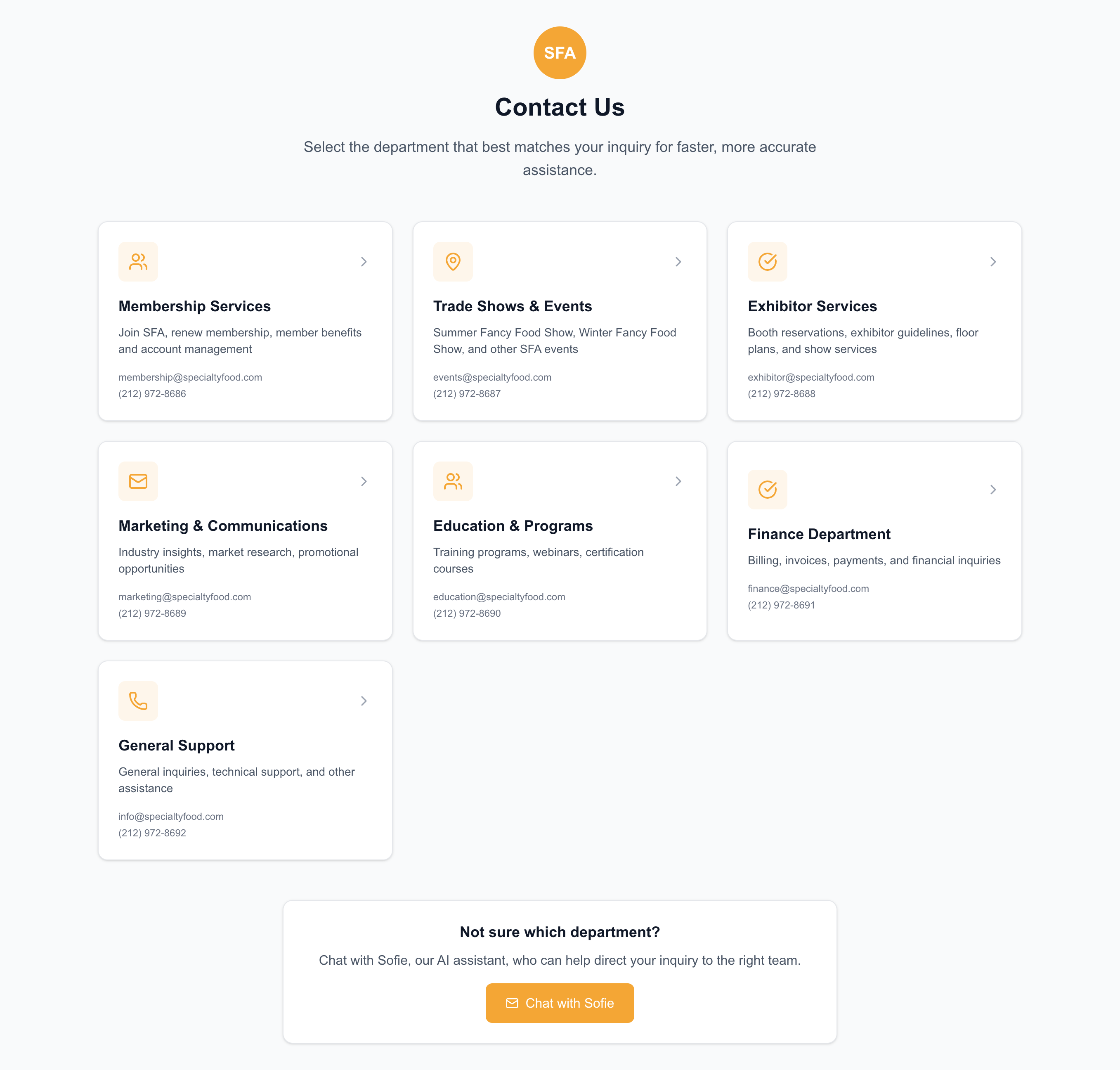
Contact Page Opened
Option 1 Result

Department Selection Page

Professional contact page with all 7 SFA departments, authentic contact information, and clear descriptions.

Department System:

  • 7 specialized SFA departments
  • Authentic @specialtyfood.com emails
  • Clear department descriptions
  • Fallback to Sofie chat option

🛠️ Admin Dashboard Workflow

71%
AI Resolution Rate
7%
Escalation Rate
7
SFA Departments
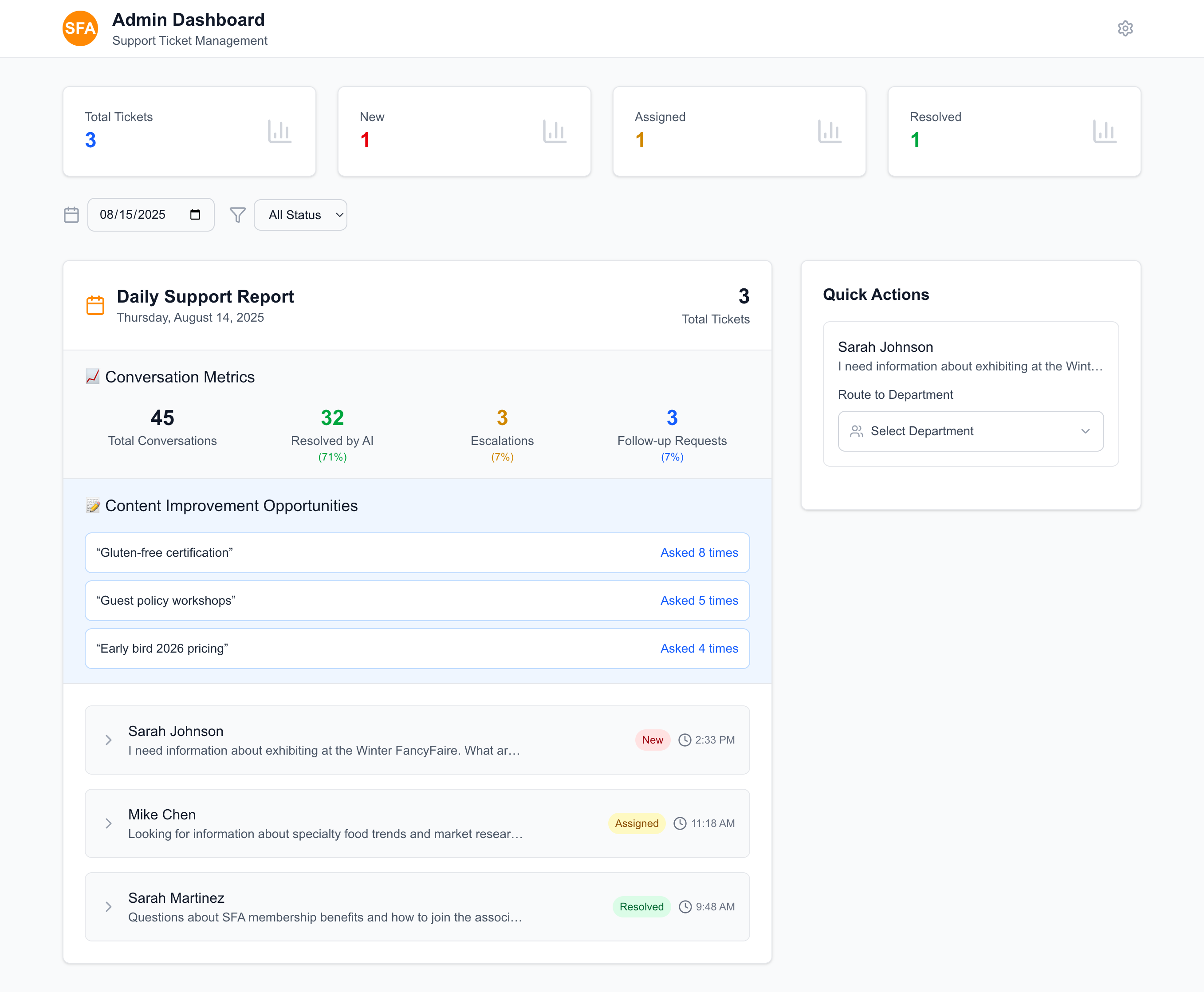
Admin Dashboard Overview
Daily Support Dashboard

Enhanced Daily Support Report

Comprehensive dashboard showing ticket statistics, conversation metrics, and content improvement opportunities.

Team Benefits:

  • Daily formatted reports replace 3-week manual process
  • Conversation analytics and AI resolution tracking
  • Content improvement insights from frequent questions
  • Professional, organized interface
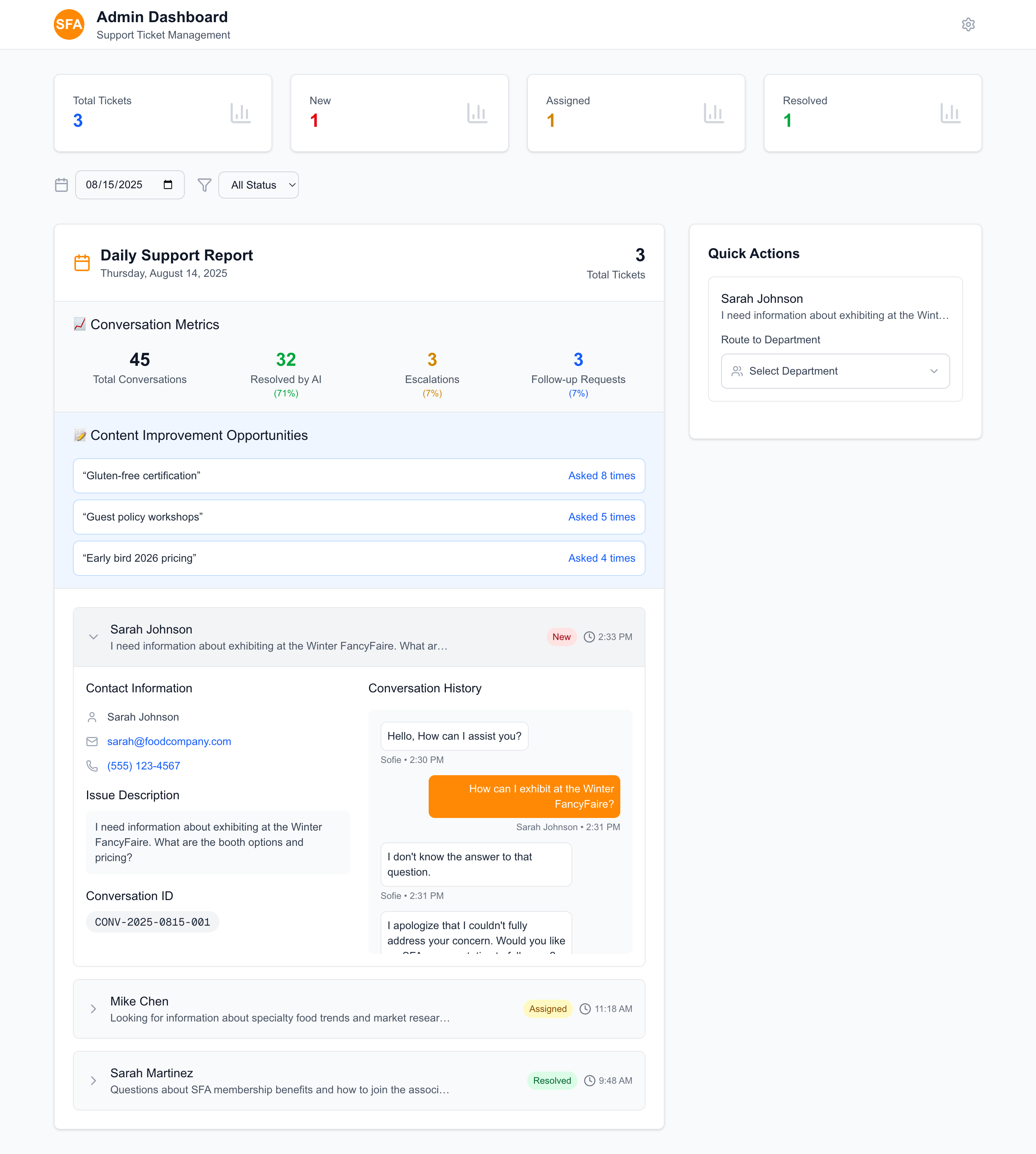
Expanded Ticket View
Context Preservation

Complete Ticket Details

Expanded view showing full conversation context, contact information, and unique conversation ID.

Context Features:

  • Complete conversation history with timestamps
  • Structured contact information with clickable links
  • Unique conversation ID for tracking
  • Detailed issue description
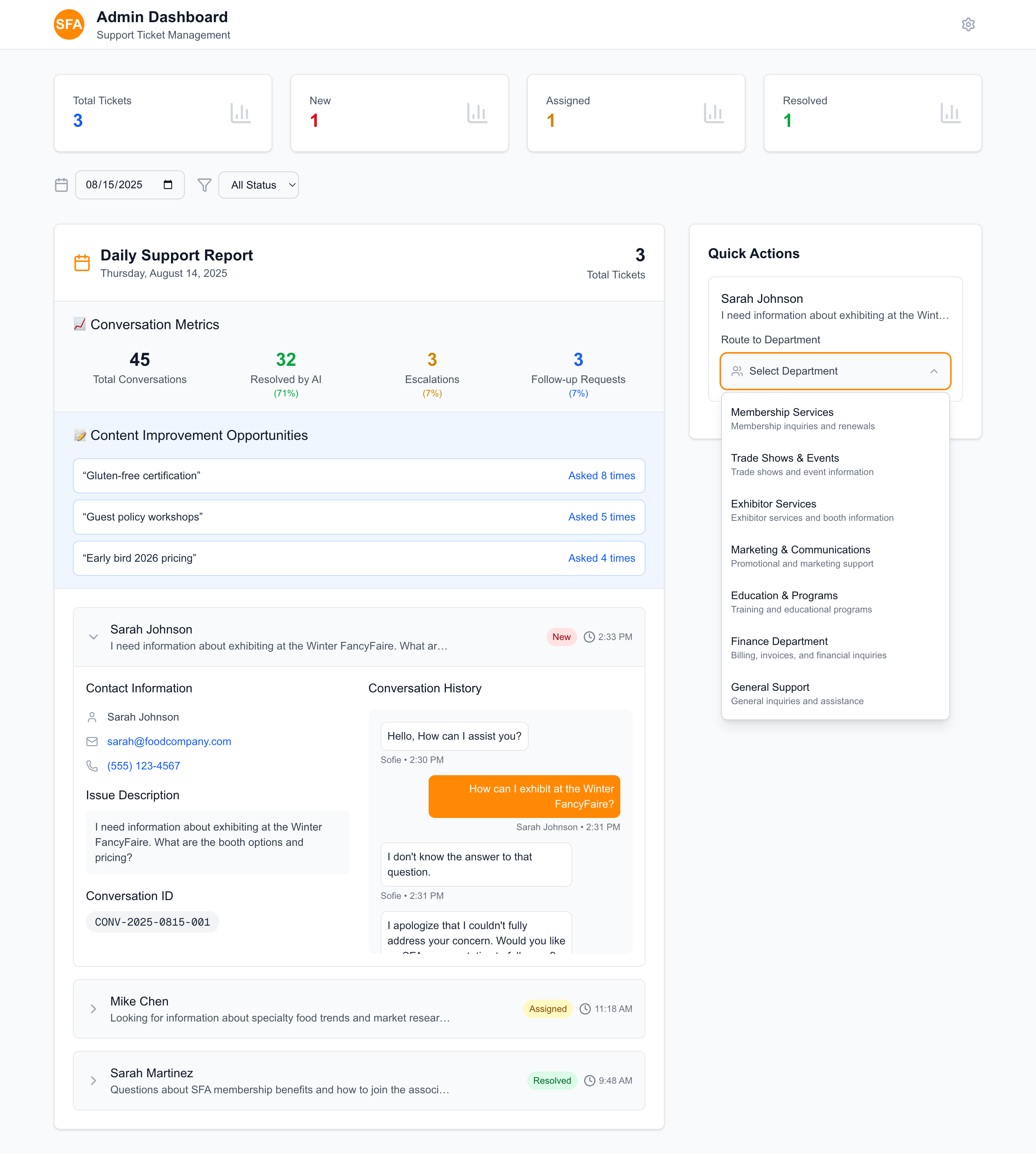
Department Routing
Smart Routing

Department Assignment System

Intelligent department routing with clear descriptions to help administrators assign tickets to the right teams.

Routing Intelligence:

  • All 7 SFA departments available
  • Clear department descriptions
  • Contextual routing suggestions
  • Eliminates wrong department assignments
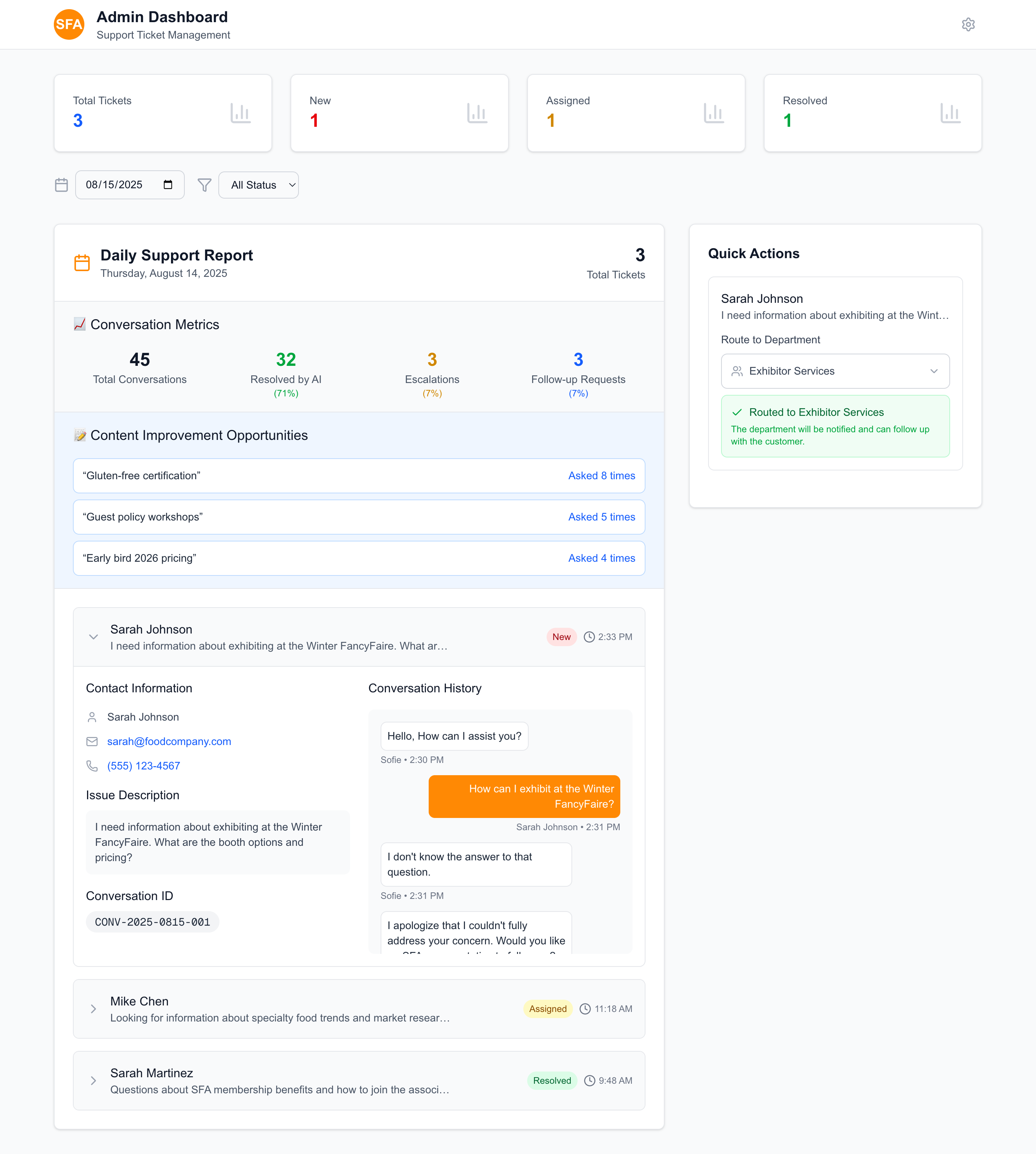
Ticket Successfully Routed
Workflow Complete

Routing Confirmation

Ticket successfully assigned to Exhibitor Services with confirmation message and department notification.

Completion Benefits:

  • Clear routing confirmation
  • Department notification system
  • Complete workflow tracking
  • Professional handoff process